The Flux 3 AI image generator is built around the model family the platform is named for: Flux 2 Pro, Black Forest Labs’ flagship, leads the selector for photorealistic text-to-image work, with Flux Kontext alongside it for edits you describe in plain language — change the jacket, swap the sky, keep everything else intact.
Around that Flux core sits a full image catalog. Nano Banana brings Google-grade realism and fast edits, Seedream renders up to 4K, GPT Image is the typography specialist for posters and layouts, and Ideogram, Qwen, Recraft, and others cover styles, vectors, and utility work. Fifteen-plus engines, one selector, one shared credit balance.
The workflow stays simple: describe the image, pick a model and aspect ratio, and generate — the exact credit cost appears before you confirm. Results land in your library watermark-free, editing models can revise any image you have made, and free starter credits on sign-up mean your first comparisons cost nothing.
See what's possible on Flux 3 AI
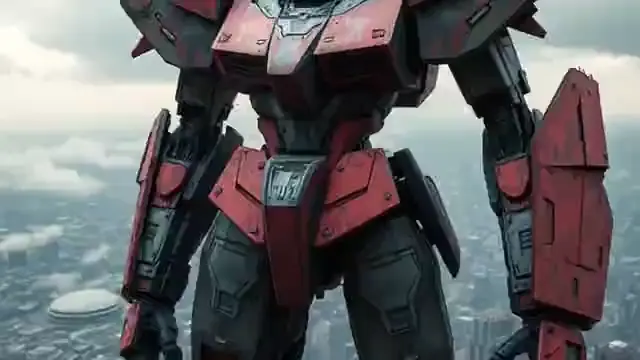
Sample generations from the platform — write your own prompt to see what Flux 3 does with it.


What makes Flux 3 stand out
Flux 2 Pro up front
The photorealism benchmark leads the studio — composed lighting, believable depth, faithful prompts.
Edit by instruction
Flux Kontext and other editors change exactly what you ask for and preserve the rest of the frame.
15+ image engines
Nano Banana, Seedream, GPT Image, Imagen, Ideogram and more — matched to styles Flux does not chase.
Up to 4K output
High-resolution tiers across the catalog cover print, packaging, and large-format needs.
Text that renders readable
Typography-strong engines like GPT Image and Ideogram handle posters, labels, and UI mockups.
Clean downloads
No added watermark on any image — and commercial rights come with paid plans.
Popular use cases
Why creators run Flux 3 on Flux 3 AI
- The Flux flagship and its strongest rivals live in one selector — no per-model subscriptions to stack.
- Generation and editing share one library, so drafts, revisions, and finals stay in one place.
- Free starter credits make the “which engine fits my style?” question cheap to answer properly.
Flux 3 specs & capabilities
Output
- Generation modesText to Image · Image Editing
Which Flux 3 version should you use?
Every version below is selectable in the Create studio on the same credits.
Flux 2 Pro
The default and the engine this page deep-links to. Black Forest Labs’ flagship is the pick for photorealistic stills, lifestyle and editorial imagery, and any brief where composed, believable light decides the result.
Flux Kontext Pro & Max
The editing pair. Kontext revises images from written instructions while preserving untouched regions — Pro for everyday edit rounds, Max when the final pass needs maximum fidelity and stronger in-image typography.
Beyond Flux
Nano Banana for fast realistic generation and edits, Seedream for 4K renders, GPT Image for legible text and layout-heavy design, Imagen, Ideogram, Qwen, Z-Image, and Recraft for styles and utilities — all selectable on the same credits.
Flux 3 prompt examples
Copy one as a starting point, or send it straight to the Create studio.
“Overhead breakfast flat-lay on rough linen — sourdough, figs, honey drizzle mid-pour, morning side light, crumbs and imperfections left natural, editorial food photography”
Flux 2 Pro photorealism with styled composition
“Concert poster with the headline “MIDNIGHT SIGNALS” in bold condensed type, gradient duotone portrait of a synth player, halftone texture, 1980s new-wave layout”
Typography-led design — the GPT Image and Ideogram specialty
“Change the wall color in this bedroom photo to sage green and swap the framed art for botanical prints, keeping the bed, lighting, and shadows unchanged”
A Kontext-style instruction edit on an uploaded image
Create with Flux 3 in three steps
Describe your idea
Write a prompt — the more specific the scene, motion, and style, the better Flux 3 performs.
Pick Flux 3 & settings
Choose your aspect ratio and options. The studio shows the exact credit cost before you generate.
Generate & download
Flux 3 renders in the cloud — track progress in your library, then download watermark-free or share with a link.
Flux 3 questions, answered
What is the Flux 3 AI image generator?
It is the image studio of the Flux 3 AI platform: a browser-based generator led by Flux 2 Pro from Black Forest Labs, with Flux Kontext for instruction-based editing and fifteen more image models — Nano Banana, Seedream, GPT Image, Imagen, Ideogram and others — behind the same prompt box and credit balance.
Is the Flux 3 AI image generator free?
You can start free: new accounts include starter credits that work on every image model, including Flux 2 Pro. Ongoing use runs on plans or credit packs listed on the pricing page, and every generation shows its credit cost before you confirm.
Which image model should I pick?
Flux 2 Pro for photorealism and composed aesthetics, Flux Kontext for editing existing images, GPT Image or Ideogram when text must render correctly, Seedream for 4K output, Nano Banana for fast realistic edits. Running one prompt on two engines and comparing costs only a few credits here.
Can I edit my own photos with it?
Yes — upload an image and describe the change. Editing models like Flux Kontext apply the requested revision while preserving the rest of the picture, which makes them practical for product variants, background swaps, and client feedback rounds.
What resolutions and aspect ratios are supported?
Aspect presets cover widescreen, portrait, and square framings, and resolution depends on the engine — standard tiers suit web and social, while models like Seedream and GPT Image 2 reach 4K for print-grade output. Options appear in the studio per model.
Are the images watermark-free and commercially usable?
Downloads carry no added platform watermark, and commercial usage rights are included with paid plans under the platform terms — the usual setup for client work, ecommerce imagery, and marketing assets.
Is this the same as the FLUX 3 model?
No — Flux 3 AI is this platform, named for the Flux family it hosts. FLUX 3 is Black Forest Labs’ announced next-generation multimodal model, not yet released; the Flux 3 model page tracks its confirmed details, and today the studio runs Flux 2 Pro, the current flagship.
Does prompt quality really matter for image generation?
Enormously. Concrete subjects, lighting language, and composition cues consistently beat vague prompts. The built-in prompt-enhance tool expands a rough idea into a detailed brief before you spend a credit, and each model page offers example prompts tuned to its strengths.