Nano Banana 2 is the balanced tier of Google’s Nano Banana image line: noticeably quicker than the Pro flagship while producing cleaner, more refined output than the speed-first base model. For most day-to-day image work — thumbnails, social posts, concept boards — this middle ground is exactly where you want to live.
On Flux 3 AI it handles both fresh text-to-image generations and edits of images you upload, following the family’s natural-language approach: say what should change and it changes, nothing else. Reference inputs are supported, so a recurring subject or product can stay recognizable from one generation to the next.
Because it sits between two siblings, Nano Banana 2 anchors a tidy tiered workflow: explore volume ideas on base Nano Banana, produce most deliverables here, and reserve Nano Banana Pro credits for the handful of hero images that demand full photorealism.
See what's possible on Flux 3 AI
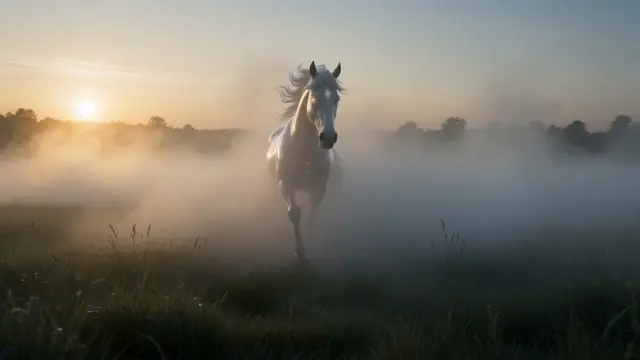
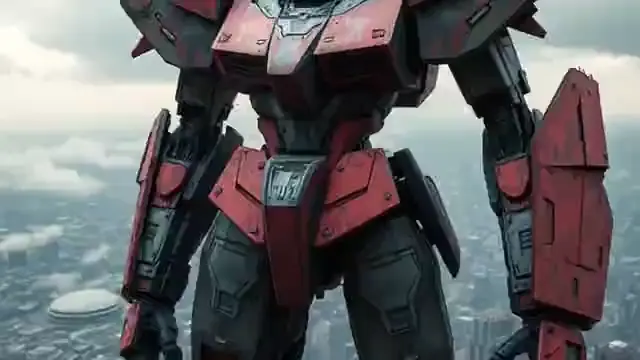
Sample generations from the platform — write your own prompt to see what Nano Banana 2 does with it.

What makes Nano Banana 2 stand out
Balanced by design
Faster than the Pro tier, more polished than the base model — the pragmatic default for everyday image production.
Natural-language edits
Describe changes to an uploaded image conversationally and Nano Banana 2 applies them without disturbing the rest.
Subject continuity
Inherits the family’s knack for holding a character’s look steady across scenes, outfits, and camera angles.
Volume-friendly pace
Turnarounds quick enough to batch out variations for A/B tests, carousels, and multi-format campaigns.
Works with your images
Accepts uploads as editing targets or references, so real products and people anchor every generation.
Clean downloads
Every result saves to your Flux 3 AI library and downloads watermark-free, ready for immediate publishing.
Popular use cases
Why creators run Nano Banana 2 on Flux 3 AI
- Free sign-up credits let you batch your first Nano Banana 2 variations without paying anything upfront.
- Swap between tiers or rival models mid-project without rewriting a single prompt in your workflow.
- Every generation lands in one library, so campaign batches stay organized across models and formats.
Nano Banana 2 specs & capabilities
Output
- Generation modesText to Image · Image Editing
Nano Banana 2 prompt examples
Copy one as a starting point, or send it straight to the Create studio.
“Flat-lay of autumn baking ingredients on a rustic oak table, warm window light from the left, top-down composition, cozy food-blog styling”
Everyday content shot suited to the tier’s speed-quality balance.
“Change the cyclist’s red hoodie to a pastel yellow raincoat and make the sky overcast, leaving the bicycle and street completely untouched”
Targeted edit that should alter only the two named elements.
“Cheerful cartoon fox mascot waving, flat vector style, bold outlines, limited orange and teal palette, centered on white for logo-friendly framing”
Brand-mascot test for clean shapes repeated across batch variations.
Create with Nano Banana 2 in three steps
Describe your idea
Write a prompt — the more specific the scene, motion, and style, the better Nano Banana 2 performs.
Pick Nano Banana 2 & settings
Choose your aspect ratio and options. The studio shows the exact credit cost before you generate.
Generate & download
Nano Banana 2 renders in the cloud — track progress in your library, then download watermark-free or share with a link.
Nano Banana 2 questions, answered
What is Nano Banana 2?
Nano Banana 2 is the mid-tier model in Google’s Nano Banana image family, built to balance generation speed with output quality. On Flux 3 AI it covers both text-to-image creation and plain-language editing of uploaded images.
When should I pick Nano Banana 2 over Nano Banana Pro?
Pick Nano Banana 2 when you need many good images quickly — social posts, tests, drafts, everyday content. Reach for Pro when a single image must be maximally photorealistic, like a hero shot or print asset. Prompts transfer between tiers unchanged.
Can Nano Banana 2 edit photos I upload?
Yes. Upload a photo, describe the edit in ordinary language, and the model applies it while keeping untouched areas intact. That covers background swaps, object removal, wardrobe changes, and style adjustments.
Does Nano Banana 2 support reference images?
It does — Flux 3 AI lets you attach input images to guide a generation, which is how you keep a product or character consistent across a batch of Nano Banana 2 outputs.
Is Nano Banana 2 fast enough for batch work?
That is its core strength. The tier was tuned so you can generate variation after variation without long waits, making it well suited to producing carousels, ad-set variants, and multi-platform crops in one sitting.
Do I need any software to run Nano Banana 2?
No. Generations run in the cloud through Flux 3 AI, so any modern browser works. Sign-up includes free credits, and results download without a watermark.
Can I use Nano Banana 2 through an API?
Yes — Flux 3 AI offers API access for developers who want to build image generation into their own products, outlined in the API section on the homepage. The browser studio remains the quickest way to test prompts before you integrate anything.
Nano Banana 2 or Imagen 4 — which should I use?
Use Nano Banana 2 when your workflow mixes fresh generation with plain-language editing of uploaded images. Use Imagen 4 when you generate purely from text and want to choose between its standard, Fast, and Ultra tiers. Both draw from the same Flux 3 AI credit balance.