Imagen 4 is Google’s purpose-built text-to-image model, a separate lineage from the Nano Banana editors, focused on translating written prompts into high-quality still images. It has a reputation for handling detailed, descriptive prompts gracefully, which makes it a dependable choice when the brief lives entirely in words.
Flux 3 AI carries all three tiers under one page: standard Imagen 4 for high-quality everyday output, Imagen 4 Fast when turnaround matters most, and Imagen 4 Ultra when you want the strongest render the line offers. Switching tiers is a dropdown change — the prompt, style settings, and workflow stay identical.
Every generation saves to your library for watermark-free download. Since Imagen 4 is text-driven, it pairs naturally with the Nano Banana family: compose the base image here from a rich prompt, then pass it to Nano Banana for conversational touch-ups and edits.
See what's possible on Flux 3 AI
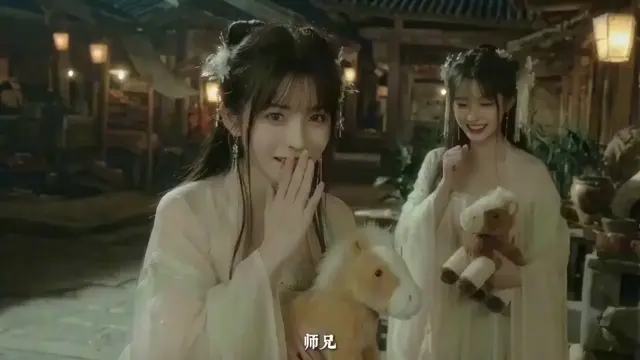
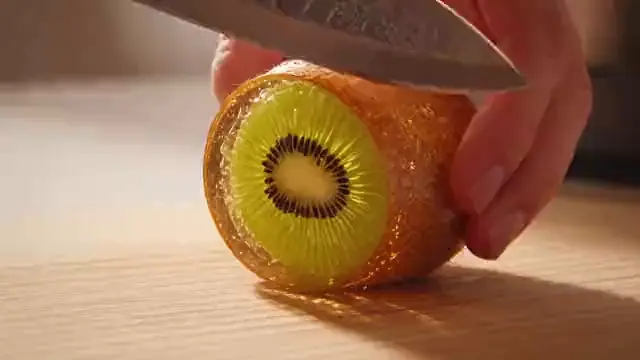
Sample generations from the platform — write your own prompt to see what Imagen 4 does with it.

What makes Imagen 4 stand out
Three tiers, one model
Standard, Fast, and Ultra variants cover drafting, deadline work, and premium finals without changing prompts.
Prompt-faithful rendering
Imagen 4 rewards descriptive writing — composition, materials, and mood specified in text come through in the image.
Ultra for finals
Imagen 4 Ultra is the line’s top rung, worth the extra credits when an image is headed for print or a landing page.
Fast for deadlines
The Fast tier shortens the wait between idea and image, keeping brainstorms and time-boxed work moving.
Pairs with editors
Generate here, refine in Nano Banana — a two-step pipeline that combines strong composition with easy edits.
Cloud rendering
All three tiers run on Flux 3 AI servers, so results are consistent whether you prompt from a laptop or phone.
Popular use cases
Why creators run Imagen 4 on Flux 3 AI
- All three Imagen 4 tiers sit behind one account — no separate Google subscription required.
- The built-in prompt-enhance tool expands short ideas into the detailed prompts Imagen 4 rewards.
- Run identical prompts on Imagen 4 and Nano Banana Pro side by side to pick a winner.
Imagen 4 specs & capabilities
Output
- Generation modesText to Image
Which Imagen 4 version should you use?
Every version below is selectable in the Create studio on the same credits.
Imagen 4
The standard tier and the sensible default. It delivers Google’s high-quality text-to-image rendering for everyday work — illustrations, hero images, presentation art — without the premium cost of Ultra. Start here: if the render already satisfies the brief, you are done; if not, the identical prompt moves up to Ultra or down to Fast unchanged.
Imagen 4 Fast
The speed-first variant of the line. Pick Fast when turnaround matters more than peak fidelity — brainstorms, bulk drafts, and time-boxed explorations. Because all three tiers share the same prompting, Fast doubles as a cheap proving ground: iterate on wording here, then promote the winning prompt to standard or Ultra for the finished render.
Imagen 4 Ultra
The top rung of Imagen 4, reserved for images that must look their absolute best — landing-page heroes, print-adjacent art, portfolio pieces. Ultra costs more credits per generation than its siblings, so the practical pattern is to lock composition on the lower tiers first and spend Ultra only on the final, approved prompt.
Imagen 4 prompt examples
Copy one as a starting point, or send it straight to the Create studio.
“Isometric illustration of a bustling night market, glowing paper lanterns, intricately detailed food stalls, rich amber and jade palette, high vantage composition”
Dense descriptive prompt showing how Imagen 4 rewards specificity.
“Minimalist editorial poster of a lone lighthouse in rolling fog, muted blue monochrome, heavy negative space, subject anchored low in the frame”
Tests restraint — negative space and deliberate off-center composition.
“Hyper-detailed watercolor of a hummingbird among trumpet flowers, morning backlight glowing through petals, soft washed edges, centered botanical-plate composition”
Traditional-media style rendering with delicate backlit color transitions.
Create with Imagen 4 in three steps
Describe your idea
Write a prompt — the more specific the scene, motion, and style, the better Imagen 4 performs.
Pick Imagen 4 & settings
Choose your aspect ratio and options. The studio shows the exact credit cost before you generate.
Generate & download
Imagen 4 renders in the cloud — track progress in your library, then download watermark-free or share with a link.
Imagen 4 questions, answered
What is Imagen 4?
Imagen 4 is Google’s dedicated text-to-image generation model. It turns written prompts into high-quality still images and is offered on Flux 3 AI in three tiers — standard, Fast, and Ultra — that trade off speed against maximum render quality.
What is the difference between Imagen 4, Fast, and Ultra?
All three tiers use the same prompting. Standard Imagen 4 targets high quality for general use, Imagen 4 Fast prioritizes quick turnaround, and Imagen 4 Ultra pushes quality furthest for final deliverables. Start standard, drop to Fast for volume, step up to Ultra for keepers.
Imagen 4 vs Nano Banana — which should I choose?
Choose Imagen 4 when your work starts from a written prompt and ends with a still image. Choose Nano Banana when you need to edit existing photos or keep a character consistent across images. On Flux 3 AI many workflows use both in sequence.
Does Imagen 4 edit existing images?
No — on Flux 3 AI, Imagen 4 is a text-to-image model. For upload-and-edit workflows, use the Nano Banana family, which is built for natural-language image editing, and feed it the Imagen 4 output you want to refine.
How do I write good Imagen 4 prompts?
Be descriptive: name the subject, setting, lighting, camera or art style, and mood in full sentences. Imagen 4 responds well to detailed written direction, so longer, specific prompts generally beat short vague ones. Iterate on the Fast tier, then re-run the best prompt on Ultra.
Can I use Imagen 4 images in commercial projects?
Yes — work generated on Flux 3 AI is usable commercially under the platform’s terms, and images download clean with no watermark applied.
How much does Imagen 4 cost to use?
Generation is credit-based, with the cost for your selected tier shown in the Create studio before you confirm. New accounts get free sign-up credits, and the pricing page lists plans and credit packs for ongoing use.
Is Imagen 4 available through an API?
Flux 3 AI provides API access for developers alongside the browser studio, so teams can wire Imagen 4 generation into their own tools and pipelines. The API section on the homepage explains how to get started — no separate Google Cloud setup is required.
What aspect ratios can Imagen 4 generate?
The Create studio offers 16:9, 9:16, 1:1, 4:3, and 3:4 presets for Imagen 4, covering widescreen heroes, story-format verticals, square feed posts, and classic photo framings. Pick the preset that matches the destination before you generate — no post-cropping needed.