Flux 2 Pro is the flagship text-to-image model from Black Forest Labs, the German lab founded by researchers behind the original Stable Diffusion. The Flux line earned its standing on photorealism and aesthetic quality — images that look composed rather than assembled — and 2 Pro is the current peak of that lineage.
On Flux 3 AI, Flux 2 Pro is a text-to-image option in the Create studio: pick it from the selector, write your prompt, choose from five aspect-ratio presets covering landscape, portrait, and square framings, and spend from the same credit balance used across the entire catalog.
It pairs naturally with its sibling Flux Kontext — generate a hero image on 2 Pro, then hand it to Kontext when you need targeted edits rather than a fresh roll of the dice. For pure first-shot beauty, though, most Flux users start here.
See what's possible on Flux 3 AI
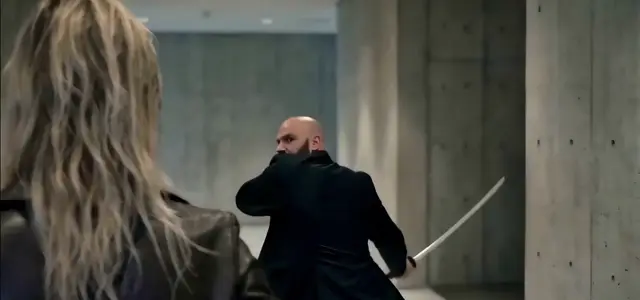
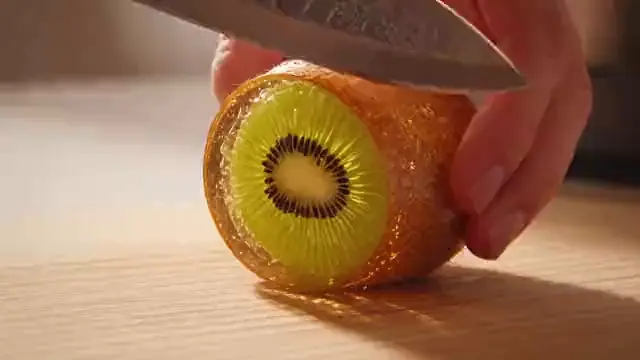
Sample generations from the platform — write your own prompt to see what Flux 2 Pro does with it.

What makes Flux 2 Pro stand out
Photorealism pedigree
Flux models are a common pick when an AI image must pass as a photograph — 2 Pro leads that reputation.
Composed aesthetics
Renders tend toward strong framing, natural depth of field, and coherent lighting without heavy prompt engineering.
Faithful to the prompt
The Flux line balances beauty with obedience, keeping requested subjects, styles, and moods intact.
From the Stable Diffusion team
Black Forest Labs was founded by core researchers behind Stable Diffusion, and Flux is their next act.
Studio framing presets
Choose 16:9, 9:16, 1:1, 4:3, or 3:4 at generation time to fit any placement.
Kontext hand-off
Send a 2 Pro render to Flux Kontext for surgical edits instead of regenerating the whole scene.
Popular use cases
Why creators run Flux 2 Pro on Flux 3 AI
- One sign-up puts Flux 2 Pro beside Imagen, Seedream, and GPT Image — no Black Forest Labs account needed.
- Free starter credits let you judge Flux photorealism on your own prompts before buying anything.
- Every Flux 2 Pro render lands watermark-free in the same library as your video generations.
Flux 2 Pro specs & capabilities
Output
- Generation modesText to Image
Flux 2 Pro prompt examples
Copy one as a starting point, or send it straight to the Create studio.
“Candid street portrait of an elderly fisherman mending nets at golden hour, weathered hands in focus, shallow depth of field, 85mm lens look, warm backlight”
Tests photoreal skin texture and shallow depth of field
“Editorial fashion shot of a model in a flowing red dress on a foggy concrete rooftop, overcast diffuse light, low-angle wide composition, muted color grade”
Shows composed editorial framing with soft light and muted grading
“Macro photograph of dew drops on a spider web at dawn, pine forest bokeh behind, crisp refraction detail inside each droplet, cool blue-green palette”
Pushes macro detail, refraction, and natural bokeh rendering
Create with Flux 2 Pro in three steps
Describe your idea
Write a prompt — the more specific the scene, motion, and style, the better Flux 2 Pro performs.
Pick Flux 2 Pro & settings
Choose your aspect ratio and options. The studio shows the exact credit cost before you generate.
Generate & download
Flux 2 Pro renders in the cloud — track progress in your library, then download watermark-free or share with a link.
Flux 2 Pro questions, answered
What is Flux 2 Pro?
Flux 2 Pro is the flagship text-to-image model from Black Forest Labs, the lab started by researchers behind Stable Diffusion. It is best known for photorealistic, aesthetically strong images, and it is available in the Flux 3 AI Create studio on platform credits.
What makes Flux different from other image models?
Flux built its reputation on images that look naturally composed — believable lighting, depth, and framing — while still following the prompt closely. Flux 2 Pro is the most capable expression of that balance in the family.
Flux 2 Pro vs Flux Kontext — which do I need?
Use Flux 2 Pro to create images from scratch; use Flux Kontext when you need to edit an existing image with instructions. They complement each other, and on Flux 3 AI both draw from the same credit balance.
Is Flux 2 Pro good for realistic people?
Yes — realistic human subjects are a recognized strength of the Flux line, from portrait lighting to natural poses, which is why it is popular for lifestyle, fashion, and editorial-style imagery.
How do I try Flux 2 Pro for free?
Sign up for Flux 3 AI and you receive free starter credits usable on any model, including Flux 2 Pro. Select it in the Create studio, prompt, and generate — plans on the pricing page cover you afterward.
Can I use Flux 2 Pro images in commercial projects?
Yes. Images generated on Flux 3 AI are cleared for commercial use under the platform terms and download without any visible watermark.
What aspect ratios does Flux 2 Pro offer?
Five presets are available in the studio — 16:9, 9:16, 1:1, 4:3, and 3:4 — so the same prompt can fill a widescreen banner or a vertical story slot.