Seedream 5 Pro is the current flagship of ByteDance’s Seedream image family. The line has built a reputation for dense, photographic detail and faithful prompt interpretation, and 5 Pro represents its most refined pass at both. If you want the best single render the Seedream family can produce, this is the tier to reach for.
On Flux 3 AI, Seedream 5 Pro runs as a text-to-image model inside the same Create studio as the rest of the image catalog. Describe the scene, choose an aspect ratio preset — widescreen, vertical, square, or classic photo framings — and the render comes back to your library ready to download without a watermark.
Because every image model on the platform shares one credit balance, comparing generations is trivial: send the identical prompt to Seedream 4.5 or a competitor like Flux 2 Pro, put the results side by side, and let the strongest frame win before you commit to a full campaign.
See what's possible on Flux 3 AI
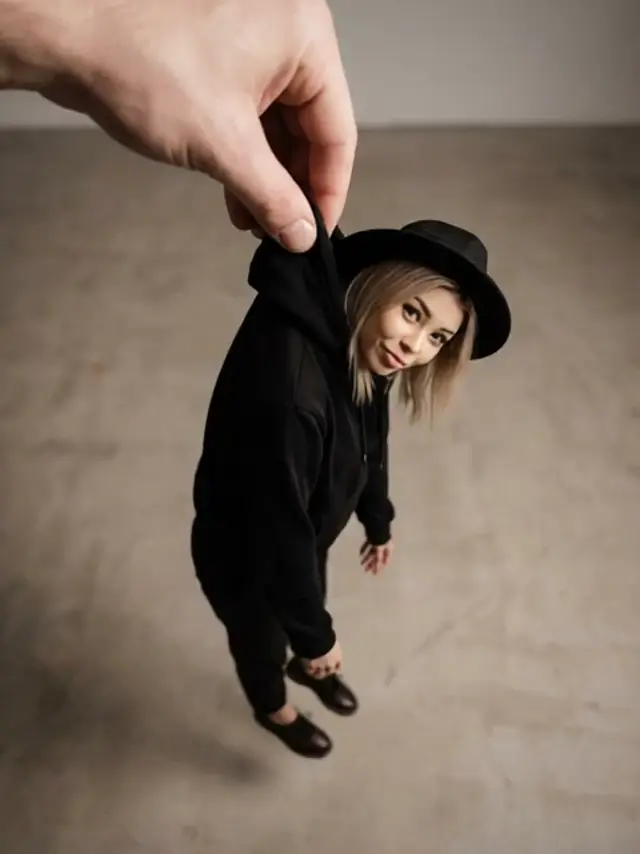
Sample generations from the platform — write your own prompt to see what Seedream 5 Pro does with it.


What makes Seedream 5 Pro stand out
Flagship Seedream quality
The top tier of ByteDance’s image line, tuned beyond Seedream 4.5 for its most detailed, faithful renders yet.
Strong prompt adherence
The Seedream family is known for following long, specific prompts closely — 5 Pro rewards precise art direction.
Photorealistic rendering
Seedream models excel at lifelike lighting, texture, and skin — a go-to choice for realistic product and portrait work.
Flexible framing
Generate in 16:9, 9:16, 1:1, 4:3, or 3:4 straight from the studio’s aspect-ratio presets.
No API setup
Use ByteDance’s newest image model from the browser with platform credits — no keys, quotas, or configuration.
Clean downloads
Finished images land in your library at full quality with no platform watermark applied.
Popular use cases
Why creators run Seedream 5 Pro on Flux 3 AI
- Access ByteDance’s flagship without an API key — one Flux 3 AI account unlocks 41+ models.
- Compare Seedream 5 Pro against Flux 2 Pro on the same brief before spending serious credits.
- Watermark-free downloads mean 5 Pro renders drop straight into client decks and ad campaigns.
Seedream 5 Pro specs & capabilities
Output
- Generation modesText to Image
Seedream 5 Pro prompt examples
Copy one as a starting point, or send it straight to the Create studio.
“Golden-hour street portrait of an elderly fisherman mending nets, weathered hands in sharp focus, sun flare over the harbor, 85mm shallow-focus look”
Flagship photorealism test — skin, texture, and natural backlight.
“Luxury perfume bottle on black marble with rippling caustic reflections, single warm spotlight, symmetrical centered composition, glossy advertising finish”
Advertising-grade product render probing glass, reflections, and symmetry.
“Rain-soaked city crossing at night from a low angle, umbrellas catching reflected neon, long-exposure light trails, moody cinematic realism”
Complex night scene testing prompt adherence across many stacked details.
Create with Seedream 5 Pro in three steps
Describe your idea
Write a prompt — the more specific the scene, motion, and style, the better Seedream 5 Pro performs.
Pick Seedream 5 Pro & settings
Choose your aspect ratio and options. The studio shows the exact credit cost before you generate.
Generate & download
Seedream 5 Pro renders in the cloud — track progress in your library, then download watermark-free or share with a link.
Seedream 5 Pro questions, answered
What is Seedream 5 Pro?
Seedream 5 Pro is ByteDance’s flagship text-to-image model, the latest and most capable release in the Seedream family. On Flux 3 AI you can generate with it directly in the browser using platform credits — no API access required.
Seedream 5 Pro vs Seedream 4.5 — which should I choose?
Seedream 5 Pro is the newer flagship and the pick when maximum quality matters. Seedream 4.5 remains a strong option with output up to 4K. Since both share one credit balance on Flux 3 AI, running the same prompt on each and comparing is the fastest way to decide.
Is Seedream 5 Pro good for photorealism?
Yes — photorealism is the Seedream family’s calling card. The models are widely praised for lifelike lighting, material texture, and natural skin tones, and 5 Pro is the most refined version of that strength.
What aspect ratios does Seedream 5 Pro support on Flux 3 AI?
The Create studio offers 16:9, 9:16, 1:1, 4:3, and 3:4 presets, so one prompt can produce a banner, a story-format vertical, or a square social post without re-cropping.
Can I try Seedream 5 Pro for free?
New Flux 3 AI accounts include free sign-up credits that work on any enabled model, Seedream 5 Pro included. When those run out, plans on the pricing page top up your balance.
Do Seedream 5 Pro images have a watermark?
No visible platform watermark is added. Images you generate on Flux 3 AI download clean at full quality from your library.
Can I use Seedream 5 Pro images commercially?
Yes — images generated on Flux 3 AI can be used in commercial work under the platform’s terms of service, which makes 5 Pro suitable for client deliverables and ad campaigns.
How is Seedream 5 Pro priced on Flux 3 AI?
Pricing is credit-based: each render deducts from your account balance, and the studio shows Seedream 5 Pro’s credit cost before you press generate. Subscription plans and one-off credit packs are available on the pricing page — there is no separate ByteDance fee.
Do I need a ByteDance account to use Seedream 5 Pro?
No. Your Flux 3 AI login covers Seedream 5 Pro and the rest of the model catalog, so there is nothing to register with ByteDance and no API key to obtain — sign in, select the model, and generate.